First published on this blog on May 29, 2018, by Dimitri DO BAIRRO, and put back online in November 2026 as it was written. Package versions and commands date from 2018: check the current documentation before reusing them.
Introduction
This tutorial aims to show you how use @rimiti/invoice-it (Github, NPM) NodeJS package to easily generate invoice or order PDF files.
Invoice-it is production ready since July 1st, 2017. It use PhatomJS (Scriptable Headless Browser) from html-pdf package, which is embedded by invoice-it to convert html templates to PDF.
Why invoice it?
Invoice-it has been created to be fully customizable and supporting multi page. You can easily override default configuration to:
- Use your own order and invoice templates.
- Add your logo.
- Change date format.
- Change default locale.
- Add / use your own locales file (to override wording).
- Add order and invoice notes.
- Customize you company informations (company name, address, phone, website, footer...).
- Change document identification format (example: IN-1805-00001).
- ...
Let's go!
As an example, let's generate a first order containing the items below:
- Macbook Pro 13" - (x3)
- Github licence - (x1)
- Apple care 1 year - (x3)
To be in real condition, I'll fully customize the document with following informations:
Emitter:
Dim Solution
73 rue Victor Hugo
77340 Pontault-Combault
Phone: +33 0 00 00 00 00
Email: contact@dimsolution.com
Recipient:
Will Jameson
20 rue de Paris
75001 Paris
Phone: 00 00 00 00 00
Email: will.jameson@customer.com
Our footer company informations:
Dim Solution inc - Registration: 87564738493127
NAF-APE: 6202A - Num. VAT: EN28987856541
To don't pass every time emitter and logo informations, you can configure it and exporting it.
import invoiceIt from '@rimiti/invoice-it';

// Configuration
invoiceIt.configure({
    emitter: {
        name: 'Dim Solution',
        street_number: '15',
        street_name: 'Rue Jean Jaures',
        zip_code: '75012',
        city: 'Paris',
        country: 'France',
        phone: '01 00 00 00 00',
        mail: 'contact@dimsolution.com',
        website: 'www.dimsolution.com',
    },
    global: {
        logo: 'http://placehold.it/230x70&text=Dim+Solution',
        lang: 'en',
        footer: {
            fr: 'Société par Actions Simplifiée Unipersonnelle (SASU) - Capital de 1 000 000 € - SIRET: 87564738493127 <br> NAF-APE: 6202A - Num. TVA: FR28987856541',
            en: 'Dim Solution inc - Registration: 87564738493127 <br> NAF-APE: 6202A - Num. VAT: EN28987856541'
        },
    },
});

export default invoiceIt;
Adding recipient informations:
// Import customized instance
import invoiceIt from 'lib/invoiceIt';

const recipient = {
    first_name: 'Will',
    last_name: 'Jameson',
    street_number: '20',
    street_name: 'Rue Victor Hugo',
    zip_code: '77340',
    city: 'Pontault-Combault',
    country: 'France',
    phone: '06 00 00 00 00',
    mail: 'will.jameson@customer.com'
};

// Prepare document
const document = invoiceIt.create(recipient);
There are two ways for adding articles in a document.
From an array:
document.article = [{
    description: 'Macbook Pro 13"',
    tax: 19.60,
    price: 952.09,
    qt: 2,
}, {
    description: 'Github licence',
    tax: 10,
    price: 79,
    qt: 5,
}];
From object:
document.article = {
    description: 'Apple care 1 year',
    tax: 20,
    price: 100,
    qt: 3,
};
It's time to export our document
Invoice-it provides several formats to export document.
HTML
// Export order to HTML file.
document.getOrder()
        .toHTML()
        .toFile('./exports/order.html')
        .then(() => console.log('Order HTML file created.'));

// Export invoice to HTML file.
document.getInvoice()
        .toHTML()
        .toFile('./exports/invoice.html')
        .then(() => console.log('Invoice HTML file created.'));
// Export order to PDF file.
document.getOrder()
        .toPDF()
        .toFile('./exports/order.pdf')
        .then(() => console.log('Order PDF file created.'));

// Export invoice in PDF
document.getInvoice()
        .toPDF()
        .toFile('./exports/invoice.pdf')
        .then(() => console.log('Invoice PDF file created.'));
Isn't it awesome ? :)
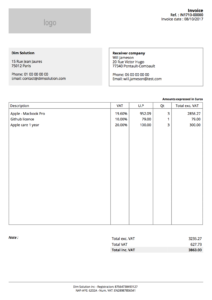
Invoice PDF
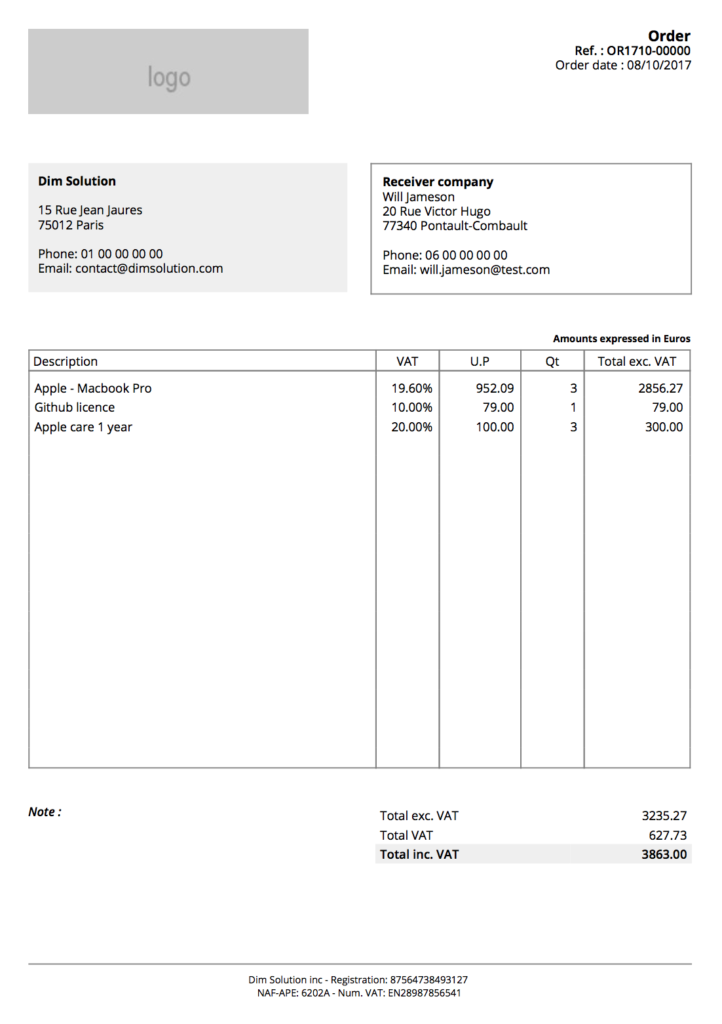
Order PDF
Extras
Some others examples to demonstrate you how to customize some fields:
// If you want to add note to your order
document.order_note = 'Your order note...';

// If you want to add note to your invoice
document.invoice_note = 'Your invoice note...';

// To delete all articles
document.deleteArticles();
The code present in this tutorial is accessible into this repository.
If you want more examples or snippets, you can check the official repository.
